 My
Burlington
Burlington Transit, tracked live.
Follow Burlington Transit buses in real time, and plan trips that connect into GO Transit's Lakeshore West line at Aldershot, Burlington and Appleby, toward Hamilton or Toronto.
What you get on Burlington Transit
Everything you need for a Burlington Transit trip.
Live GPS tracking
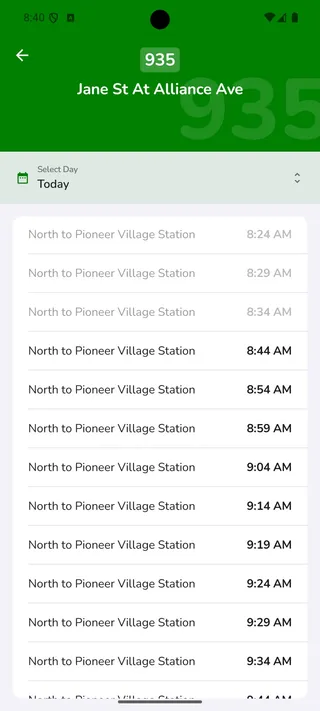
Vehicle positions refresh every 15 seconds, with crowding data included, so the countdown on screen matches the bus actually on the road.
Trip planner
Multi-modal routes across every agency — plan a trip that crosses the TTC, GO and a regional agency without switching apps.
Arrival alarms
Lock-screen alerts before your stop, timed to when the vehicle is actually close — not a fixed countdown.
The Burlington Transit network
What My TTC covers on Burlington Transit.
Local routes
Burlington Transit routes across Aldershot, downtown Burlington, Appleby and the north-end neighbourhoods such as Alton and Orchard.
GO connections
Transfers into the Lakeshore West line at Aldershot GO, Burlington GO and Appleby GO.
Beyond Burlington
Trips that continue to Hamilton, Oakville, Mississauga or Toronto are planned as one journey with the other agencies in My TTC.
Where it runs
- Downtown Burlington
- Aldershot
- Appleby
- Tyandaga
- Brant Hills
- Alton
- Orchard
- Millcroft
Main transfer points
- Burlington GO
- Appleby GO
- Aldershot GO
- Burlington Centre
Burlington Transit questions
Common Burlington Transit questions.
Does My TTC track Burlington Transit buses?
Yes. Burlington Transit buses are tracked from live vehicle positions, with real-time arrivals at the stops near you.
Can I plan a trip from Burlington to Toronto?
Yes. A common plan is a Burlington Transit bus to Burlington, Appleby or Aldershot GO, then the Lakeshore West line to Union Station, as one trip.
Are Burlington Transit service alerts included?
Yes. Delays and detours for the routes you follow appear in the alerts tab, so you can see them before you leave.